PA Home
Pastef Analytics Three-Legged Stool
Coordinate Pastef's Global Workforce
People working for Pastef throughout the world can be added to Pastef Analytics (PA) as administrators. They can contribute to Pastef through various administrative tasks available in PA and their contributions can be instantly leveraged by other accredited administrators regardless of their locations. Each administrator has a number of attributes which determine their level of privilege within PA. PA uses these privileges to enforce strict security and privacy policies. These privileges govern what administrators can view or actions they can take. Furthermore, administrators within PA are supervised by other administrators who can oversee their actions. This provide checks and balances so that only vetted information makes it through PA databases while promoting transparency. PA is fully autonomous and highly scalable.
Provide Tools for Administrators to contribute to Pastef
PA has a growing number of tools that administrators can use to contribute to Pastef. For instance, one of these tools allows a given administrator to enroll and administer Pastef members living within her assigned administrative regional domain.
Provide Tools to dissect and visualize Pastef's data
PA generates a wealth of data emanating from its administrators activities. PA analyses this data and produces a number of visualization tools to facilitate understanding and exploitation of the data for administrative or strategic decision making.
Notable Features of PA's Minimalistic UI
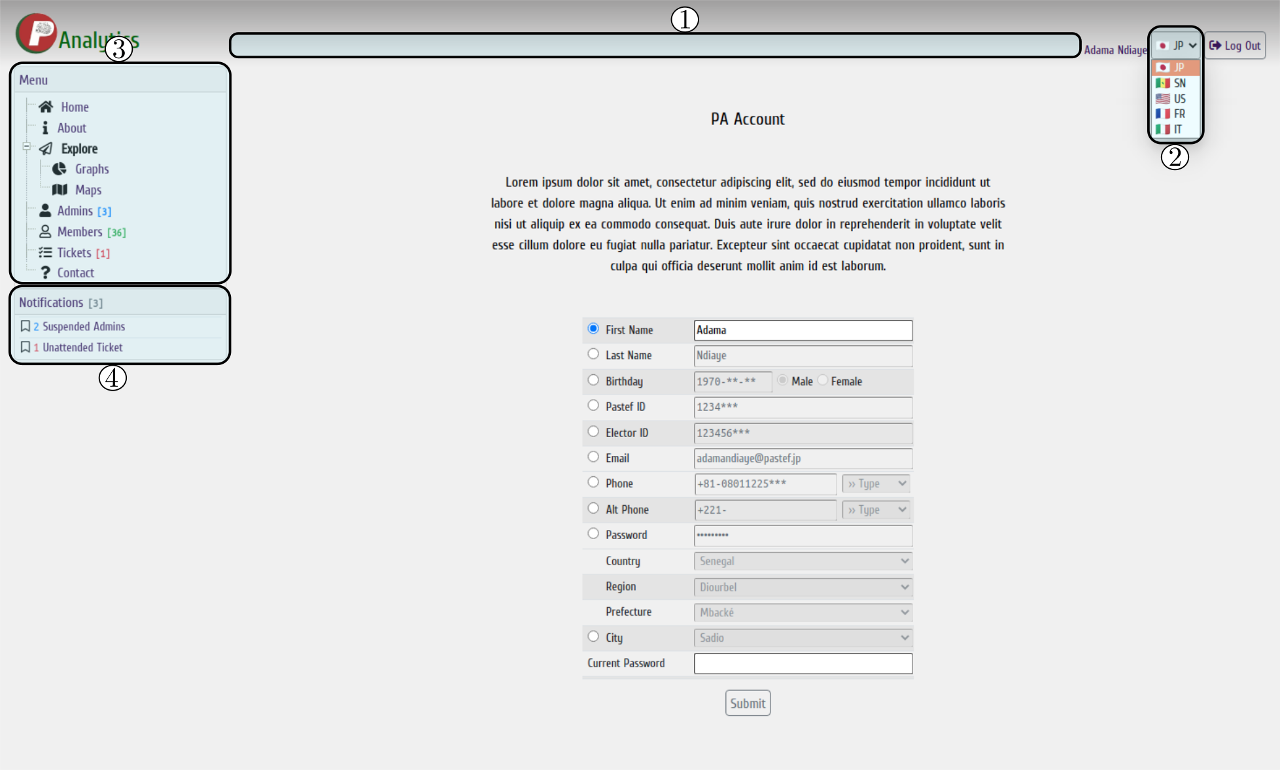
These UI items are shown throughout the site. They display or set various system wide information.
① The status bar displays transient information pertaining
to the administrator's activity.
② The country selector sets PA to display
information from the perspective of a specific country.
③ The menu pane dynamically
displays pages accessible to the logged in administrator.
④ The notifications pane
shows a summary of important information requiring the administrator's immediate attention.
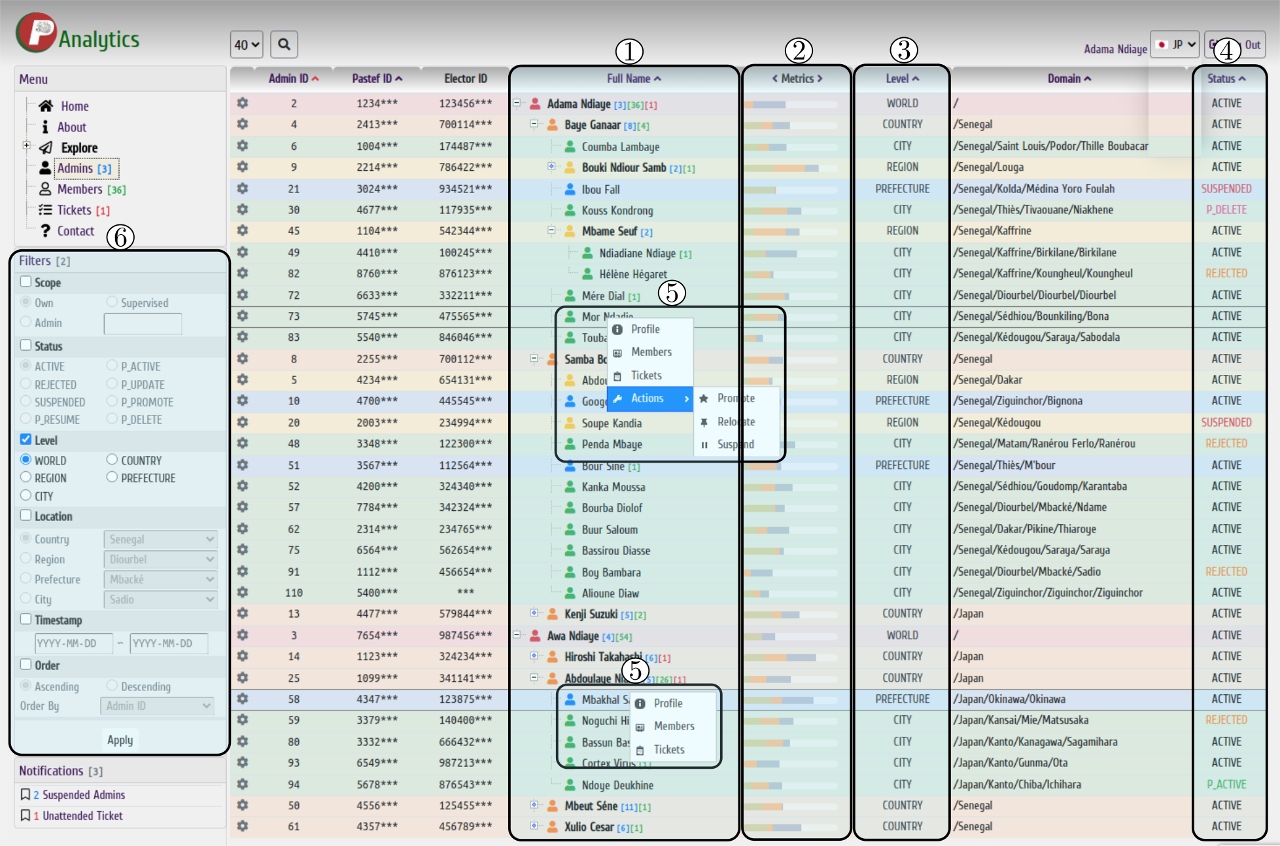
This is the main screen for managing administrators. The logged in administrator can go through the hierarchy of administrators, view their profiles, review their performances or perform specific actions on them. Viewable information and available actions are strictly controlled through PA's authorization scheme using a variety of criteria.
① The full name column allows to navigate through the
hierarchy of administrators.
② The metrics column displays a brief assessment of the
corresponding administrator's performance.
③ The level column displays the
corresponding level of administration.
④ The status column displays the status of the
corresponding administrator.
⑤ The context menu lists a set of actions available to
the logged in administrator.
⑥ The filter pane allows advanced filtering of the
information displayed on the administrators page.
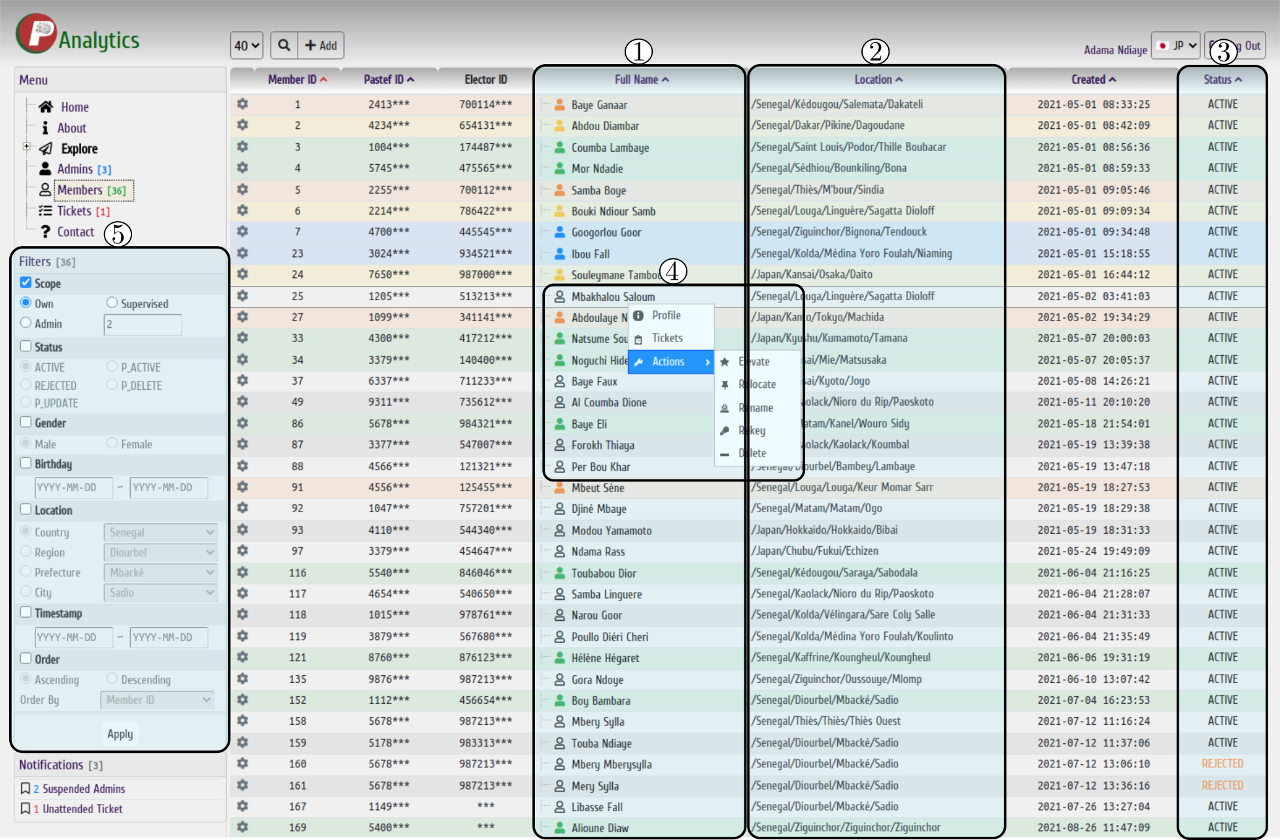
This is the main screen for managing members. The logged in administrator can lookup existing members, view and edit their information or perform specific actions on them. New members can also be added. Information and actions available to the administrator are also decided by PA's authorization scheme.
① The full name column lists members discriminating simple
members from admin members.
② The location column displays the current location of
the corresponding member.
③ The status column displays the status of the
corresponding member.
④ The context menu lists a set of actions available to the
logged in administrator.
⑤ The filter pane allows advanced filtering of the
information displayed on the members page.
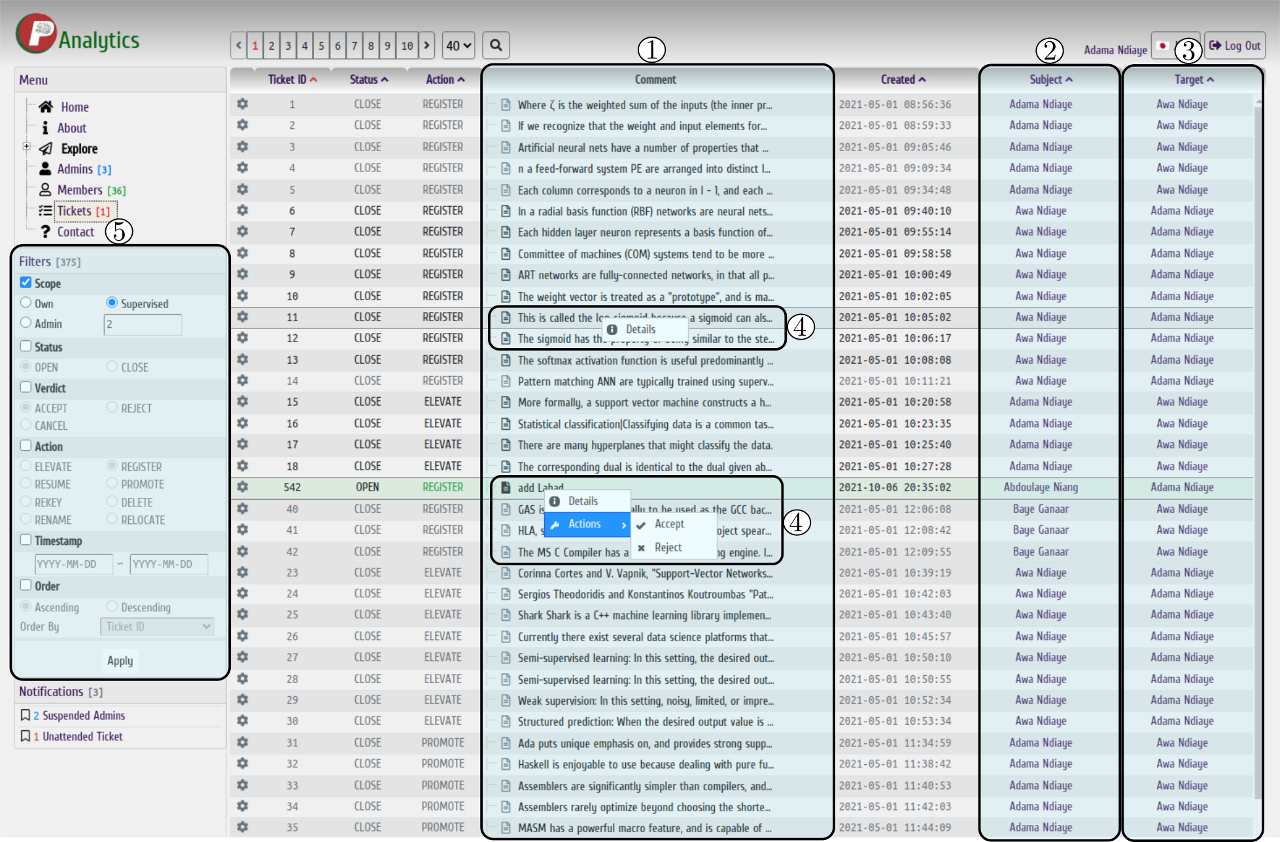
This is the main screen for managing tickets. Tickets are generated by certain actions that need reviewing by an administrator of higher privilege level. PA's ticket assignment scheme appropriately assigns tickets to administrators. The logged in administrator can view and act on tickets concerning her.
① The comment column displays the mandatory comment text
associated with the corresponding ticket.
② The subject column displays the
administrator whose action generated the corresponding ticket.
③ The target column
displays the administrator to whom the corresponding ticket was assigned to.
④ The
context menu lists a set of actions available to the logged in administrator.
⑤ The
filter pane allows advanced filtering of the information displayed on the tickets page.

PA is a spontaneous and voluntary work by a handful of zealous patriots eager to contribute innovative and
original solutions for an emerging Senegal.
It is currently in beta state and is being extensively tested and improved.
Any contribution is
welcome.
Send your inquiries to
support at sen-coding dot co jp